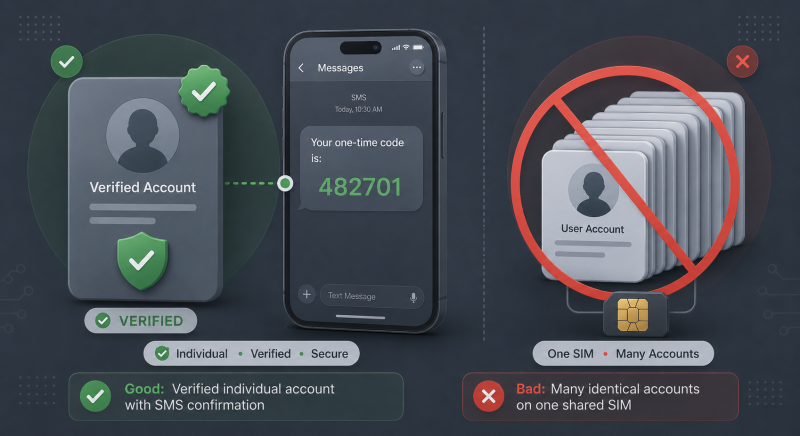
PVA stands for phone verified account: an account confirmed with a code sent by SMS to a mobile number during signup. Platforms treat a verified number as evidence that a real person is behind the account, so a PVA gets fewer captchas, fewer verification holds, and a longer life than an account registered on email alone.
This guide explains what phone verification changes, why buying ready-made PVA accounts usually ends badly, and how to create your own with a virtual number in about ten minutes.
What phone verification changes
Platforms use SMS verification as their main filter against bots and spam. An email address costs nothing to create, and a script can register thousands of accounts in an hour. A phone number costs money and effort, so requiring one raises the price of every fake account.
For the platform, a confirmed number is a signal that the account belongs to a person, plus a channel for recovery and two-factor codes. For the owner, verification unlocks the account's full feature set: many services limit sending, posting, or payments until a number is confirmed, and unverified accounts are the first candidates for extra checks and temporary locks.
Where the term is used
The abbreviation comes from online marketing. Sellers and marketers speak of Gmail PVA, Instagram PVA, or Facebook PVA: accounts on those platforms that have passed phone verification. The term matters to anyone who runs several accounts for work. Separate profiles for regions, projects, or clients each need their own number because accounts that share one number are linked together and often get banned together.
How many accounts you may have is set by each platform's terms. Gmail allows multiple accounts per person; many social networks restrict them. Extra accounts that break the rules can be removed regardless of how well they are verified.
Why buying ready-made PVA accounts is risky
Dozens of shops sell PVA accounts in bulk. The price looks like a shortcut because someone else has already done the verification. The problems come from how these accounts are made and what stays attached to them:
- the number remains linked to the account, but it belongs to the seller's pool, not to you. Whoever controls that number can reset the password and take the account back;
- when the platform asks for re-verification, such as after a login from a new device or during a security check, the code goes to a number you cannot access and the account is lost;
- bulk accounts are registered by automation on shared devices and IP addresses. Platforms detect such batches, and the accounts fall together, sometimes months after purchase;
- buying and selling accounts violates the terms of nearly every major platform, so the account can be removed at any moment without appeal.
A bought PVA can serve as a throwaway. For anything that accumulates value, such as correspondence, an ad account, or an audience, it is a liability.
How to make your own PVA account
The reliable alternative is to register the account yourself on a number issued only to you:
- Prepare a clean environment. Match your IP address to the country of the number you plan to take, set the system language, time zone, and geolocation to the same country, and use a fresh browser profile without old cookies. For app-based signups, use a device without banned accounts behind it or a quality emulator with a fresh profile.
- Get a number. On Get-SMS, pick the country and the service you are registering on. An activation stays open for 20 minutes, which is enough time for a signup.
- Register. Enter the issued number in the signup form and request the SMS. The code appears in your Get-SMS dashboard; type it into the form to complete verification.
- Secure the account. Add a recovery email, fill in the basic profile fields, and where the platform offers it, switch two-factor authentication to an authenticator app. It does not depend on any phone number.
Activation or rental
If the platform only needs one code at signup, a one-time activation covers it. But some services repeat verification later: after a login from a new device, during a suspicious-activity check, or on password reset.
If you expect repeat codes, rent the number instead. A Get-SMS rental keeps the number assigned to you for up to 30 days, so every follow-up SMS arrives in the same dashboard.
Before a rental ends, move account recovery to your email or an authenticator app. After the rental period, the number returns to the pool and can no longer receive codes for you.
Keeping a new account alive
Platforms watch fresh accounts most closely in the first days. Use the account the way a person would: no mass actions, no automation right after signup, and activity spread over time rather than in bursts.
Keep the environment consistent. Log in from the same country and the same browser profile you registered with. A signup from a German IP followed by a login from an American one an hour later is a classic flag. Keep one number to one account because a number reused across many signups links them into a single cluster.
Summary
A PVA is an account that has passed SMS verification, the platform's basic trust filter. Bought PVAs carry someone else's number and someone else's registration history, and both can take the account down.
Making your own takes minutes: a clean environment matched to the number's country, a virtual number from Get-SMS with a 20-minute activation window, and a rental of up to 30 days when re-verification is likely.