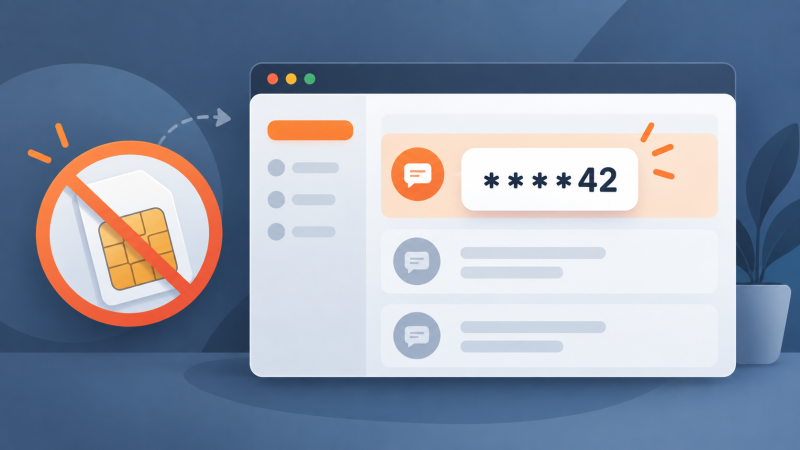
Need a verification code, but don't want to hand your personal number to yet another website - or don't have a SIM card at hand at all? A virtual number solves both. It is a real mobile number hosted by a service instead of a phone: you enter it in the sign-up form, and the SMS appears in your browser dashboard within seconds. The platform sending the code sees an ordinary mobile number and notices no difference. No app to install, no device to buy, and if the message never arrives, you cancel the number and pay nothing.
How receiving SMS online works
A virtual number is connected to the mobile network the same way a number in your phone is. The only difference is where the message ends up: instead of a SIM card in a device, it arrives at the provider's equipment and shows up in your account in the browser. The phone you own - or don't own - plays no role.
Numbers on Get-SMS are issued per service and per country. You choose what the code will come from, for example Telegram or Google, and which country the number belongs to. From that moment the number receives SMS from that service for the duration of your order, and nobody else sees the messages.
Get a code on Get-SMS in four steps
- Sign up and top up your balance - takes a couple of minutes.
- Pick the service you need the code for and the country of the number. The price depends on both, so a different country often means a lower price.
- Enter the issued number in the platform's form and request the SMS.
- Read the code in your dashboard and type it into the form. Done - the account is verified.
An activation stays open for 20 minutes, which covers a sign-up from start to finish. No SMS - no charge: cancel the number and take another one or switch the country.
One code or a month of codes: activation vs rental
A one-time activation is built for a single code. But some platforms come back for more: a login from a new device, a password reset, a periodic security check. Once an activation closes, the number returns to the pool and can no longer receive codes for you.
If you expect repeat codes, rent the number instead. A rental keeps the number assigned to you for up to 30 days, and every follow-up SMS lands in the same dashboard. Before the rental ends, move account recovery to your email or an authenticator app, so the account does not depend on the number afterwards.
When a virtual number is the right tool
- You don't want to give your personal number to a website you may never visit again. Sign-up forms feed marketing databases, and a leaked database exposes the number for years.
- You need a second account, and the platform will not accept a number that is already registered. Each additional phone verified account - for a region, a project, or a client - needs its own number.
- A service does not work with numbers from your country. A virtual number from a supported country solves the sign-up.
- You have no SIM card at hand: a new device, a foreign trip without roaming, or a desktop-only workflow.
Why free receive-SMS websites fail at verification
Searching for a free number first? Sites with public lists of numbers show every incoming message to every visitor, and for a verification code that breaks the whole point.
Platforms know these numbers. Public numbers are used thousands of times, so Telegram, Google, and most other major services reject them at the form or silently refuse to deliver the code. You spend an evening trying numbers instead of two minutes verifying.
The bigger problem is security: anyone who sees the number can request a password reset on an account registered to it. An account created through a public inbox is open to whoever looks. A private virtual number shows incoming SMS only to you, and one activation serves one customer.
Make sure the SMS actually arrives
Most delivery problems on virtual numbers come from the platform's anti-fraud checks, not from the number itself. The typical case: the form accepts the number, the status says "sent", but nothing arrives - because the country of your IP address does not match the country of the number, the browser profile carries old cookies, or the device has banned accounts in its history.
Before requesting the code, match your IP address, system language, and time zone to the country of the number, and use a clean browser profile. If a platform rejects a specific number, take another one or switch the country. The full breakdown of delivery failures, including carrier-side and platform-side causes, is in our guide on missing SMS verification codes.
Bottom line
Receiving SMS online without a SIM card takes a virtual number and a few minutes: pick the service and the country, enter the number in the form, read the code in your dashboard. A 20-minute activation covers a one-off OTP code; a rental of up to 30 days covers accounts that re-verify. Pick your service - Telegram, WhatsApp, Google, or any other from the Get-SMS catalog - and if the SMS does not arrive, you pay nothing. Common questions about orders and delivery are answered in the FAQ.