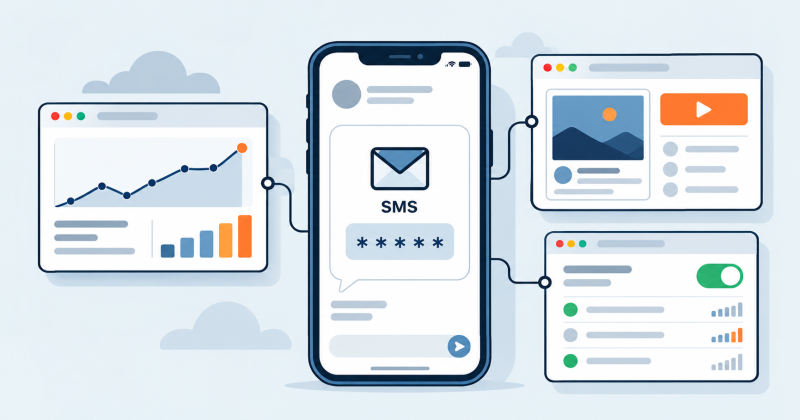
Meta, Google Ads and TikTok Ads use a phone number to confirm who controls an ad account, but each asks for it at a different point. Meta asks new advertisers to verify a number before the first ad runs. Google Ads relies on the Google Account you sign in with. TikTok asks for a number at sign-up or in the business details. An ad account is used for months, so the number usually has to keep receiving codes long after the first one.
Where each platform asks for a number
- Meta: phone verification before the first ad or boosted post, two-factor authentication for the people who manage the account, and location verification in some countries.
- Google Ads: the phone number of the Google Account and its 2-Step Verification.
- TikTok Ads Manager: login by phone or email, a phone number in the business information, and optional two-step verification.
Facebook and Instagram ads (Meta)
Since late 2024, Meta has required new advertisers, and anyone who creates a new ad account, to verify a phone number before running ads or boosting posts. The confirmation code arrives by text message or phone call. You can verify in advance on the Account Overview page in Ads Manager. If you skip it, Meta asks for the number when you try to publish your first ad.
Access to the ad account also depends on the Facebook profiles that manage it. Admins of a business portfolio can require two-factor authentication for everyone who works in it, and a text message code is one of the available methods. If someone on the team uses SMS as their second step, their number has to stay reachable for every login from a new device or browser.
In some markets Meta runs advertiser location verification for each ad account. In Indonesia, Cambodia and Bangladesh, one of the ways to pass it is to verify a local phone number that matches the country of the ad account, with the code sent by SMS, call or WhatsApp. The country of an existing ad account cannot be changed, so a number from another country will not work for this check.
When Ads Manager blocks changes to ads
The message "You won't be able to create or modify ads until you've authenticated your account" usually follows activity that Meta considers unusual: a login from a new location, a sudden change of IP address, a VPN or a proxy. A new phone number does not lift this block. Sign in from your usual device and network, then complete the authentication in the Billing and payments section of Ads Manager.
Google Ads
Google Ads does not have a separate phone check of its own. You sign in with a Google Account, and Google may ask for a phone number when that account is created or when a sign-in looks unusual. If Google answers "This phone number cannot be used for verification", it does not explain why. Use a different number rather than repeating the attempt with the same one. A ready number for this step is available on the Google, YouTube and Gmail page.
According to Google Ads Help, Google strongly encourages all advertisers to use 2-Step Verification, and completing it is often required to confirm your identity when you contact Google Ads support. The accepted second steps are a text message, a phone call, the Google Authenticator app, a Google prompt on a phone and a security key.
Changes to recovery information, including the phone number, can take up to 7 days to fully update, and extra verification prompts may appear during that time. Replace a temporary number while it still receives messages, and keep a second administrator on the Google Ads account so someone can still get in if your own sign-in is blocked.
TikTok Ads Manager
A TikTok Ads Manager login is created with either an email address or a phone number, and the verification code goes to the one you chose. Separately, a phone number is part of the required business information during advertiser setup. TikTok uses it to contact you about your ads, so it should be a number you can still reach later.
During the same setup you choose the country or region of the advertiser account. TikTok applies local rules based on that choice and uses it to decide which billing and payment details you have to provide.
Two-step verification in TikTok for Business is optional. It can send codes by SMS to the phone number on the account, by email, or through an authenticator app such as Google Authenticator.
Why a one-time activation is rarely enough
An ad account asks for codes long after registration: a login from a new device, a security check, a new team member, a change in billing settings. A Get-SMS activation lasts 20 minutes and fits a single code. Number rental keeps the same number for up to 30 days, which covers account setup and the first weeks of campaigns. The difference between the two options is explained in SMS activation versus number rental.
If the account will run longer than the rental, add an authenticator app or a security key as the second step while you still receive messages on the number, and add a recovery email. After that, everyday logins no longer depend on SMS. A platform can still ask for a phone code during some security checks, so before the rental ends, replace the number in the account settings with one you will keep.
Match the number to the account country and your connection
Ad platforms check the phone number together with other signals. If your IP address, system language and time zone point to one country and the number to another, the code may never arrive even though its status shows as sent, or the account may get extra checks. Choose a number from the country set in the ad account and work from a connection in the same country.
The browser matters too. A profile or device that was used for banned accounts, or a browser fingerprint that looks suspicious, can trigger checks that no phone number will fix. Use a clean browser profile for each ad account. Other reasons a code may not arrive are covered in Not receiving your SMS verification code.
When a separate number makes sense
Agencies and freelancers who run campaigns for clients often work in a client's business portfolio, where a personal number would stay attached to someone else's account. A separate number keeps work access apart from your own phone and can be replaced when the contract ends. The same logic applies to test accounts that a team creates to check ad setups and landing pages. More on this in how to keep your personal phone number private.
Each platform's terms still apply. A separate number confirms that you control the account; it does not change the advertising policies or the review of your ads.
Checklist before you verify
- Check the country of the ad account and choose a number from the same country.
- Order a rental instead of a one-time activation if the account will be used for more than one session.
- Sign in with an IP address, system language and time zone that match that country.
- After verification, add an authenticator app and a recovery email.
- Replace the number in the account settings before the rental ends.